
Last updated: April 3, 2024
Available with any of the following subscriptions, except where noted:
 Content Hub
Professional
,
Enterprise
Content Hub
Professional
,
Enterprise
|
A/B testing allows you to test two versions of a page at the same URL to see which one performs better. Half of your visitors will see one version of the page, while the other half will see the alternate version.
You can compare each version's performance in the page's performance data, then select a winning variation. This will set the winning variation as the only live version of the page and revert the other variation to draft.
Before you get started
- Learn more about how to run an A/B test from the HubSpot Marketing Blog.
- Decide what you want to test. HubSpot recommends testing one variable at a time to track clear cause and effect.
- Create a new page or choose an existing page to serve as the control version of your A/B test.
Set up an A/B test
You can run an A/B test on any published page. If your page is part of a multi-language group, you can run a test for each language variation.
-
Navigate to your content:
- Website Pages: In your HubSpot account, navigate to Content > Website Pages.
- Landing Pages: In your HubSpot account, navigate to Content > Landing Pages.
- Hover over a page and and click Edit
- Click the File menu and select New > Run A/B test.
- In the dialog box, click Next.
- Enter a name for each page variation, then click Create variation.
- In the content editor, update the content for your page variation. Consider testing the following variables:
- Offers: experiment with a different type of content offer. You could test an ebook versus a consultation or a video.
- Copy: experiment with the formatting and style of the content. You could test plain paragraphs versus bullet points or a longer block of text vs a shorter block of text.
- Image: experiment with a different image to see how the conversion rate is influenced.
- Form fields: experiment with the length of your form. You could test requesting only an email address versus asking for more information.
Please note: both versions of the page will have the same live URL, but different preview URLs for testing
- To switch the page variation you're editing, click the Test variation dropdown menu in the upper left and select a variation.
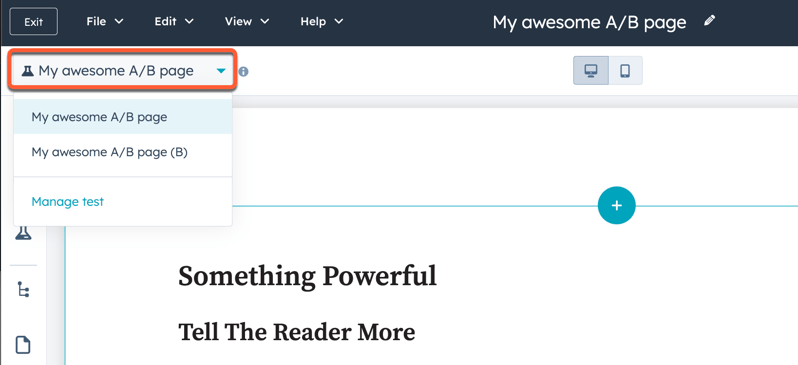
- To begin the test, click Publish in the upper right, then click Publish now in the dialog box. This will set both versions of your page live.
Within the same session, visitors will be shown the same version of A/B tested content. Once a session ends, the version of content they are shown will be randomized for the next session.
Review A/B test results
After your visitors have started engaging with both page variations, you can review the test results.-
Navigate to your content:
- Website Pages: In your HubSpot account, navigate to Content > Website Pages.
- Landing Pages: In your HubSpot account, navigate to Content > Landing Pages.
- Click the name of the page with the A/B test.
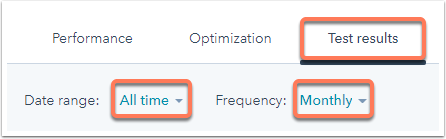
- Click the Test results tab.
- Click the Date range and Frequency dropdown menus and select the timeframe of the results that you want to analyze.
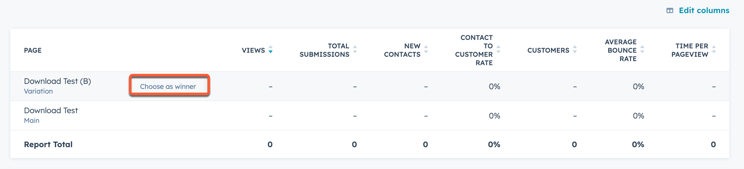
- Click a column header in the table to sort the results by a specific metric.
- To choose a variation as the winner of the test, hover over the variation and click Choose as winner. The losing variation will no longer display.
- If you want to rerun an A/B test on a losing variant, hover over the variation and click Rerun this variation.
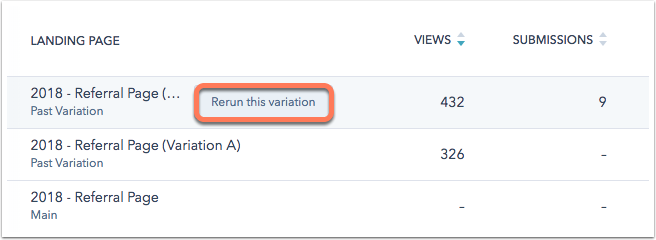
Please note: if you rerun a variation from an A/B test, the variation will be published immediately.
